
Building FileMaker WebViewer Widgets with AI Vibe Coding: How to Turn a Native Weakness into a Custom Interface Advantage
FileMaker is unmatched at what it was built to do — relational data, rapid schema changes, and business logic that doesn’t need a full engineering team to maintain. But the moment a client asks for a live calendar, an interactive dashboard, or an AI chat panel that feels like a modern web app, native FileMaker layout objects start to show their age.
That gap is exactly where the FileMaker WebViewer comes in — and lately, it’s where I’ve been spending most of my development time, building custom WebViewer widgets faster than ever by pairing FileMaker’s data engine with an AI-assisted, “vibe coding” workflow for the JavaScript layer.
Here’s what that actually looks like in practice, and why it’s become a core part of how I build FileMaker systems in 2026.
Why FileMaker WebViewer Widgets Matter
The FileMaker WebViewer object has always been able to render HTML, CSS, and JavaScript inside a native layout — but for years it was treated as a novelty: an embedded PDF viewer, a Google Maps frame, maybe a read-only report. The real unlock is realizing the WebViewer can be a two-way bridge, not just a display box.
Once you build a reliable JavaScript-to-FileMaker handshake, the WebViewer stops being a workaround and becomes a genuine UI layer:
- Interactive calendars and scheduling grids that native FileMaker layouts struggle to render smoothly
- Custom login and onboarding screens with real animation and branding, instead of FileMaker’s default dialog
- Embedded AI chat interfaces for document processing, quoting, or customer support
- Live dashboards that update from JSON payloads without a full layout refresh
- Drag-and-drop, color-coded, or highly visual data entry that would take dozens of native objects to fake
For a FileMaker developer, this is the difference between telling a client “FileMaker can’t quite do that natively” and instead delivering a polished, app-like experience running on the same relational backend they already trust.
The Core Pattern: A JavaScript-to-FileMaker Handshake
The technical foundation behind every WebViewer widget I build is the same reusable handshake pattern, regardless of what the widget actually looks like on screen:
- Shell ready — the embedded JavaScript signals FileMaker that the page has loaded and is ready to receive data.
- Data push — FileMaker responds by pushing a JSON payload into the WebViewer, assembled from the underlying relational tables.
- Data ready — the JavaScript confirms it received and rendered the data.
- Error handling — any failure in that exchange is caught and routed back to FileMaker rather than silently failing inside the browser layer.
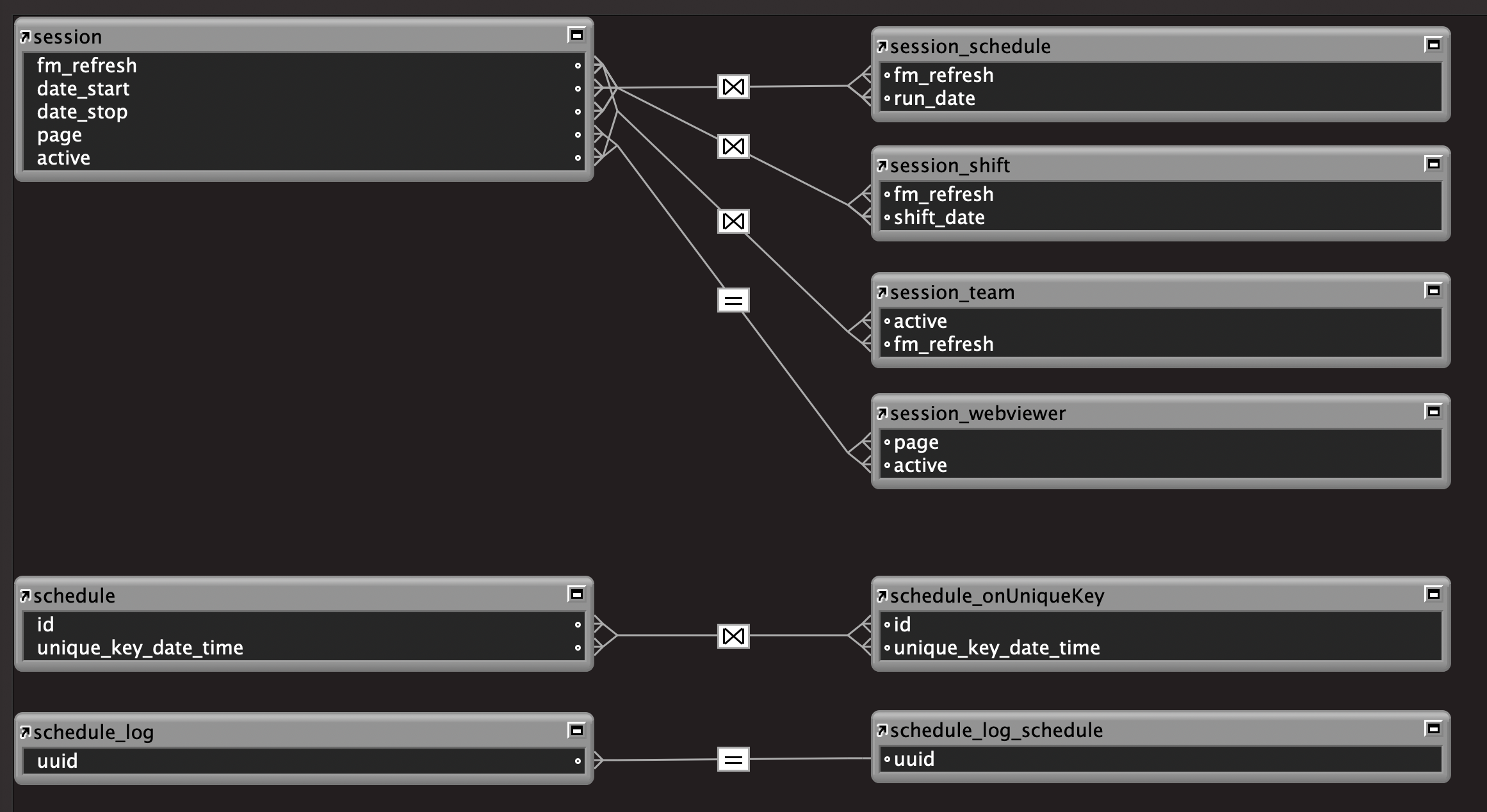
That four-step handshake is the plumbing behind everything from an interactive shift-and-schedule calendar to a print-production dashboard. Once it’s built once and proven reliable, it becomes a reusable component — not something I rebuild from scratch for every new widget or client. I maintain an internal library of working examples specifically so any new WebViewer feature starts from proven code, not a blank page.
That reusability matters more than it sounds. It’s the difference between a WebViewer widget being a one-off hack buried in a single solution, versus being a dependable part of a framework that scales across a portfolio of client systems.
What “AI Vibe Coding” Actually Looks Like for FileMaker WebViewer Widgets
Here’s where the workflow has changed the most for me recently. Building the JavaScript half of a WebViewer widget used to mean stepping fully out of “FileMaker developer mode” and into a slower, unfamiliar front-end coding cycle — HTML structure, CSS layout, event handling, JSON parsing, debugging in a browser inspector detached from the FileMaker file itself.
AI-assisted, conversational coding — what a lot of people are now calling “vibe coding” — has collapsed that gap. In practice, my workflow now looks like:
- Describe the widget in plain language: what data it needs, how it should behave, what it should look like
- Let an AI assistant draft the HTML/CSS/JS scaffold, including the ShellReady/DataReady handshake calls
- Iterate conversationally — “make the calendar color-code by team,” “add a loading state while FileMaker assembles the JSON” — instead of hand-writing every DOM manipulation
- Drop the resulting code into a FileMaker
db_webstyle table (an HTML field the WebViewer renders directly), test the live handshake, and refine
The result is that a custom, app-quality interface — something that used to be a multi-day front-end detour — now comes together in the same working session as the FileMaker schema and scripts that feed it. The AI isn’t writing the FileMaker relational logic or the business rules; it’s accelerating the JavaScript presentation layer that FileMaker was never designed to hand-code efficiently. That combination — FileMaker for data and logic, AI-assisted JavaScript for interface — is turning out to be a genuinely productive division of labor.
A Real Example: A Live Scheduling Calendar
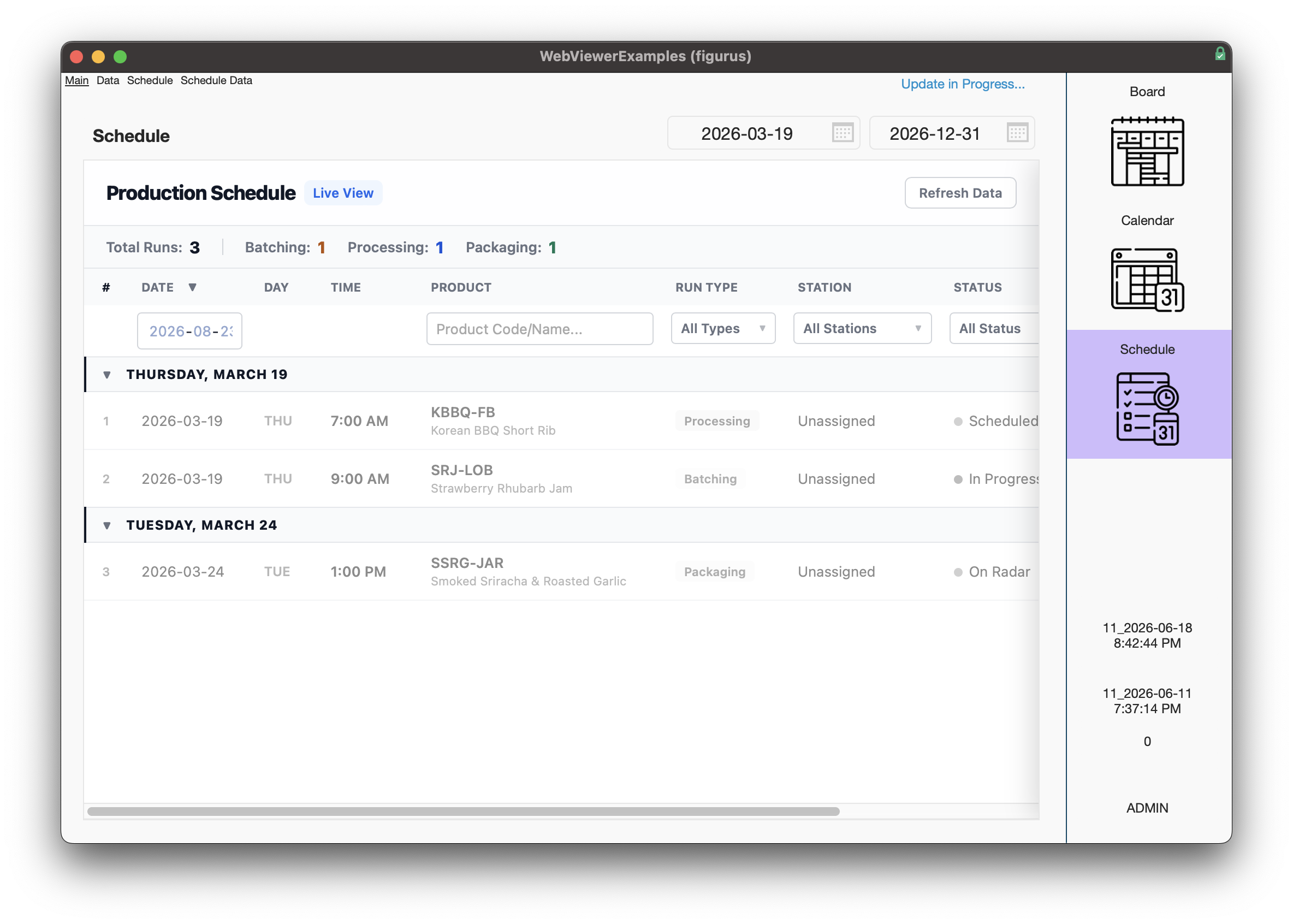
One of the clearest proofs of this pattern is a shift-and-run scheduling calendar I built as a reference implementation. The underlying FileMaker tables hold the schedule records, shift records, and a small team roster with color codes. A staging table assembles the relevant date range into JSON. The WebViewer widget — a calendar UI written in JavaScript — requests that JSON through the handshake, renders a color-coded grid of shifts and runs, and pushes any user interaction (like a note or a status change) back into FileMaker through the same bridge.
None of that calendar logic is “fake.” It’s a genuine working demonstration of the exact mechanism now deployed inside live production systems — including a scheduling module that syncs a similar JS-rendered calendar with real appointment and shift data for an operational business.
Where This Fits Into a Bigger FileMaker System
WebViewer widgets aren’t a replacement for solid FileMaker architecture — they’re a presentation layer on top of it. In the systems I build, the widget pattern shows up alongside:
- AI-assisted document and chat processing embedded directly in a quoting or production workflow
- Custom-branded client portals with a polished login and dashboard experience
- Print-production and estimating dashboards that need to visualize job status at a glance
- Any workflow where a client says “I want it to feel like a modern app,” not “I want another FileMaker list view”
The framework underneath — data/interface file separation, a shared navigation layer, reusable script components — stays consistent across every deployment. The WebViewer bridge is just one more component in that reusable architecture, not a bolt-on experiment.
The Takeaway for FileMaker Developers and Clients
If you’re a FileMaker developer, the lesson here isn’t “learn full-stack JavaScript development.” It’s that AI-assisted coding tools have made it practical to treat the WebViewer as a first-class UI layer, without needing a dedicated front-end engineer on every project. A reliable JSON handshake pattern, built once and reused, plus an AI coding assistant for the JavaScript itself, gets you most of the way to a genuinely modern interface — running on the same relational backend and business logic FileMaker has always been good at.
If you’re a business evaluating a custom system and worried that “FileMaker” means dated-looking screens, this is exactly the gap that’s closing. Calendars, dashboards, AI chat panels, and branded client-facing portals can all live inside the same FileMaker file as your quoting, scheduling, or production data — no separate web app, no separate database to keep in sync.
Building a custom FileMaker system and want an interface that doesn’t look like 2010? I design and build FileMaker solutions with embedded WebViewer widgets, AI integrations, and reusable framework architecture — reach out to talk about your project.